
HR DELIVERY / LISTENING SERVICES
Pulse Surveys
Keep a finger on what changes.
Use short, focused surveys between deeper listening exercises. A pulse helps you check a specific issue, monitor an agreed action or understand how a change is being experienced while there is still time to respond.

WHAT IT IS
Keep a finger on what changes.
The value comes from focus and follow-through, not frequency alone. Ask only what you can act on. If you want to compare cycles, retain matching question codes, wording and response scales; changed questions should not be treated as a like-for-like trend.
Themes to consider
These are planning themes, not the approved question set or a promised scoring model.
Explore the supporting framework ↗BENEFITS TO YOUR ORGANISATION
Make the listening useful.
Use the evidence to focus a conversation, test an explanation and choose a practical improvement.
- Check whether a recent action is being felt by employees.
- Investigate a focused issue without repeating a long questionnaire.
- Support timely conversations during organisational change.
- Maintain a visible listening rhythm with a clear reason for each check.
HOW TO IMPLEMENT
A considered launch.
A clear follow-through.
Adapt this sequence to the organisation, audience and decisions the survey is intended to support.
- 01
Choose one decision or change to examine and explain why a short survey is useful now.
- 02
Select a small, relevant set of approved questions and a realistic collection window. Avoid asking again before action is possible.
- 03
Duplicate a suitable survey cycle in Studio when continuity is needed. Preserve stable wording and scales for comparisons.
- 04
Publish and share the new collection link. Interpret results alongside participation and changes in who responded.
- 05
Communicate the response to the issue, assign the next action and decide whether another pulse is warranted.
FROM FINDING TO ACTION
What could happen next?
After improving a team handover process, a brief pulse can ask about the same specific experience again. Compare only compatible cycles and discuss operational changes that may explain the pattern.
Illustrative action pathway, not an example finding or claimed outcome.
RUN IT IN THE PORTAL
Your survey, in Survey Studio.
Set up the service draft, add your approved questions, review the participant journey and keep collection, reporting and actions in one place.
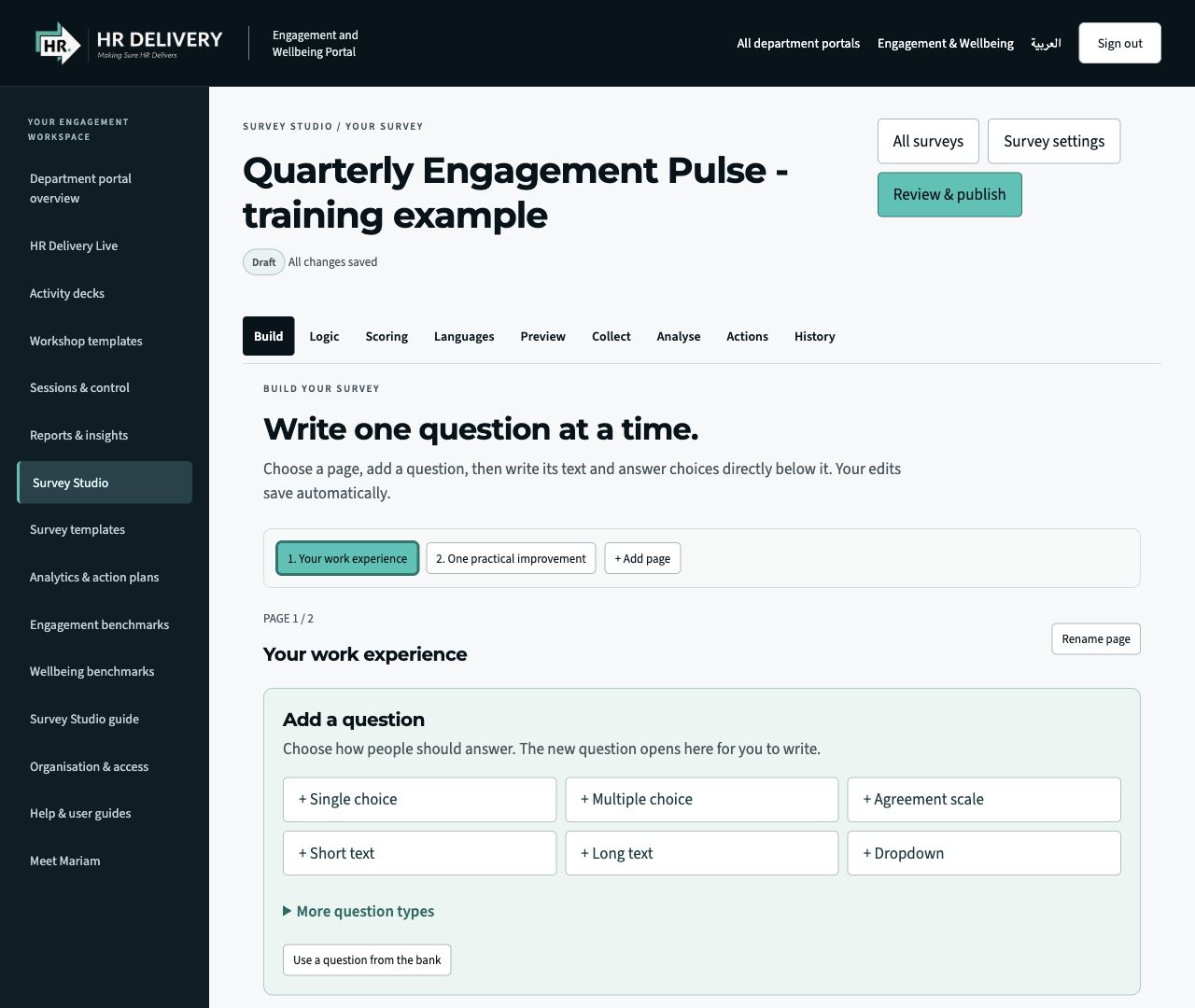
Build with clarity
Add pages and questions. Choose formats, edit the wording and preview the participant experience.
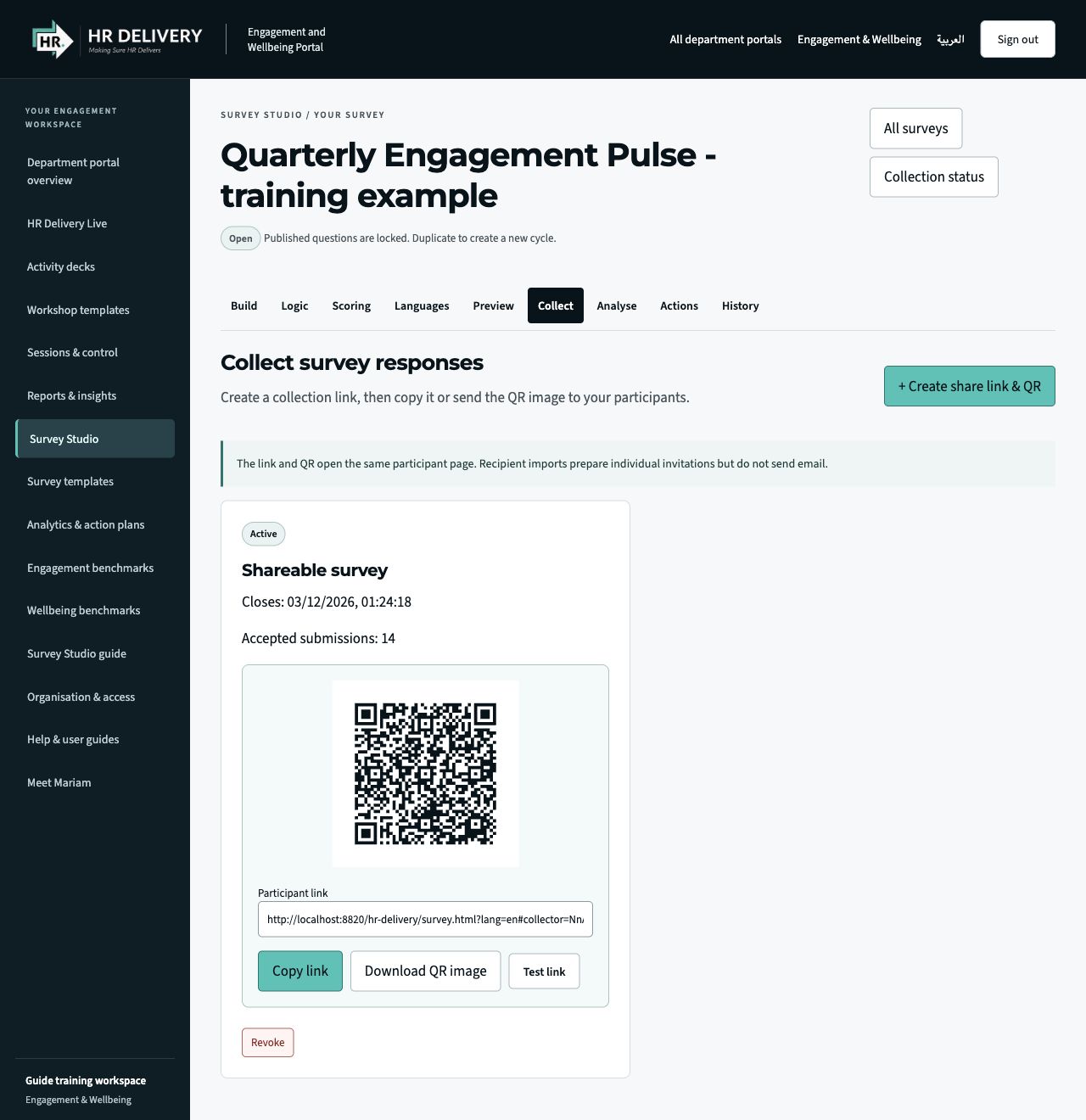
Share a link. Share a QR.
After review and publication, Collect provides a participant link and a downloadable QR image.
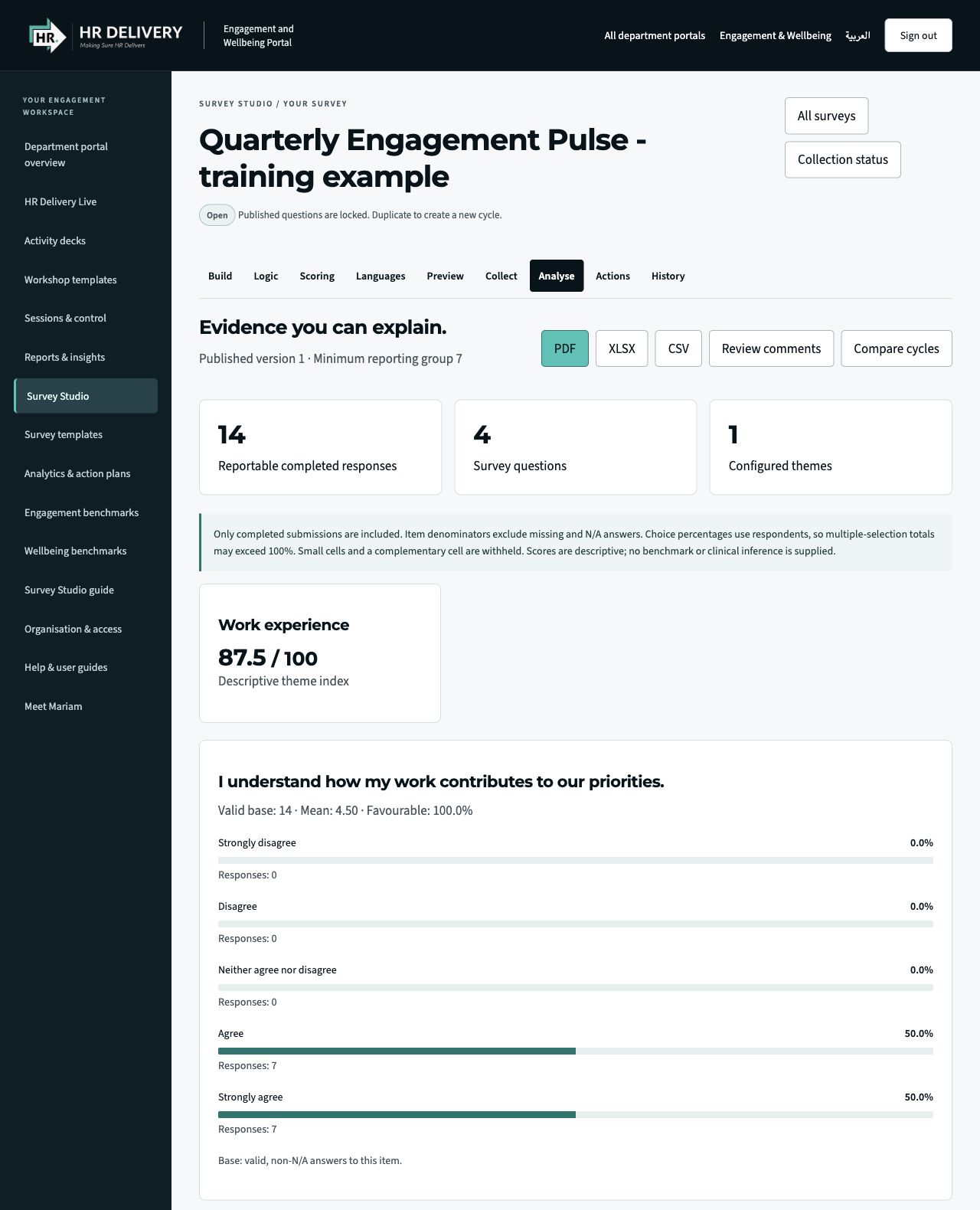
See the evidence. Plan the action.
Explore reportable patterns and descriptive scores, export aggregate reports and assign follow-up actions.
Actual Survey Studio interface in an isolated demonstration workspace. Questions, responses, figures and the pictured QR/link are illustrative, not client data or a live survey invitation. Screens show the English interface.
- 01
Define
Agree the purpose, audience and decisions the survey will inform.
- 02
Build
Create pages, choose question formats and add approved wording.
- 03
Review
Set privacy, preview the journey and approve the version to publish.
- 04
Share
Create a participant link and QR code, then collect responses.
- 05
Act
Review reportable results, agree actions and follow through.
SAMPLE REPORT / COVER PREVIEW
A place for the insight.
Ready for the full report.
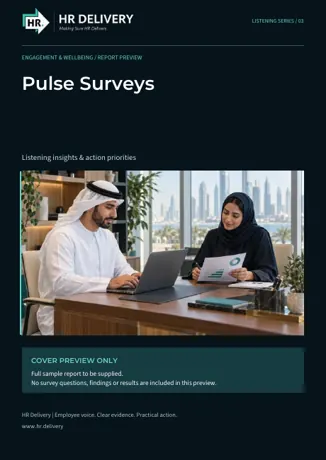
This branded front cover introduces the future sample report for this service. The download contains one cover page only. It includes no employee data, findings, scores or completed analysis.
The complete example report will be added once its content has been supplied and approved. Studio’s existing aggregate reporting functions remain separate from this preview.
Download sample reportEnglish PDF · 1 page · Cover preview only
TURN LISTENING INTO FOLLOW-THROUGH