
HR DELIVERY / LISTENING SERVICES
Wellbeing Surveys
Make sustainable work a shared priority.
Explore the working conditions that affect people’s experience of workload, energy, support and recovery. A workplace wellbeing survey helps organisations discuss how work is designed and supported.

WHAT IT IS
Make sustainable work a shared priority.
Keep the focus on organisational conditions and practical improvements. This service does not diagnose individuals or replace professional support. Explain that a survey is not an urgent assistance channel and give participants a separate route to raise immediate concerns.
Themes to consider
These are planning themes, not the approved question set or a promised scoring model.
Explore the supporting framework ↗BENEFITS TO YOUR ORGANISATION
Make the listening useful.
Use the evidence to focus a conversation, test an explanation and choose a practical improvement.
- Discuss workload and support using a shared evidence base.
- Identify work-design issues that deserve closer examination.
- Involve managers and employees in practical improvements.
- Revisit whether agreed changes support more sustainable work.
HOW TO IMPLEMENT
A considered launch.
A clear follow-through.
Adapt this sequence to the organisation, audience and decisions the survey is intended to support.
- 01
Agree the workplace questions the organisation is prepared to address and identify available support routes.
- 02
Confirm the approved wellbeing content, privacy notice and reporting groups. Avoid unnecessary personal or health details.
- 03
Build and preview the survey in Studio. Check wording, language and support information before review and publication.
- 04
Collect and interpret aggregate patterns only when the reporting threshold is met. Use context and discussion to understand them.
- 05
Translate priorities into work-design or support actions, with named owners, review dates and clear communications.
FROM FINDING TO ACTION
What could happen next?
If workload concerns cluster around a recurring deadline, examine demand, staffing and prioritisation. Agree a practical change to the work and review its effect, alongside the support already available.
Illustrative action pathway, not an example finding or claimed outcome.
RUN IT IN THE PORTAL
Your survey, in Survey Studio.
Set up the service draft, add your approved questions, review the participant journey and keep collection, reporting and actions in one place.
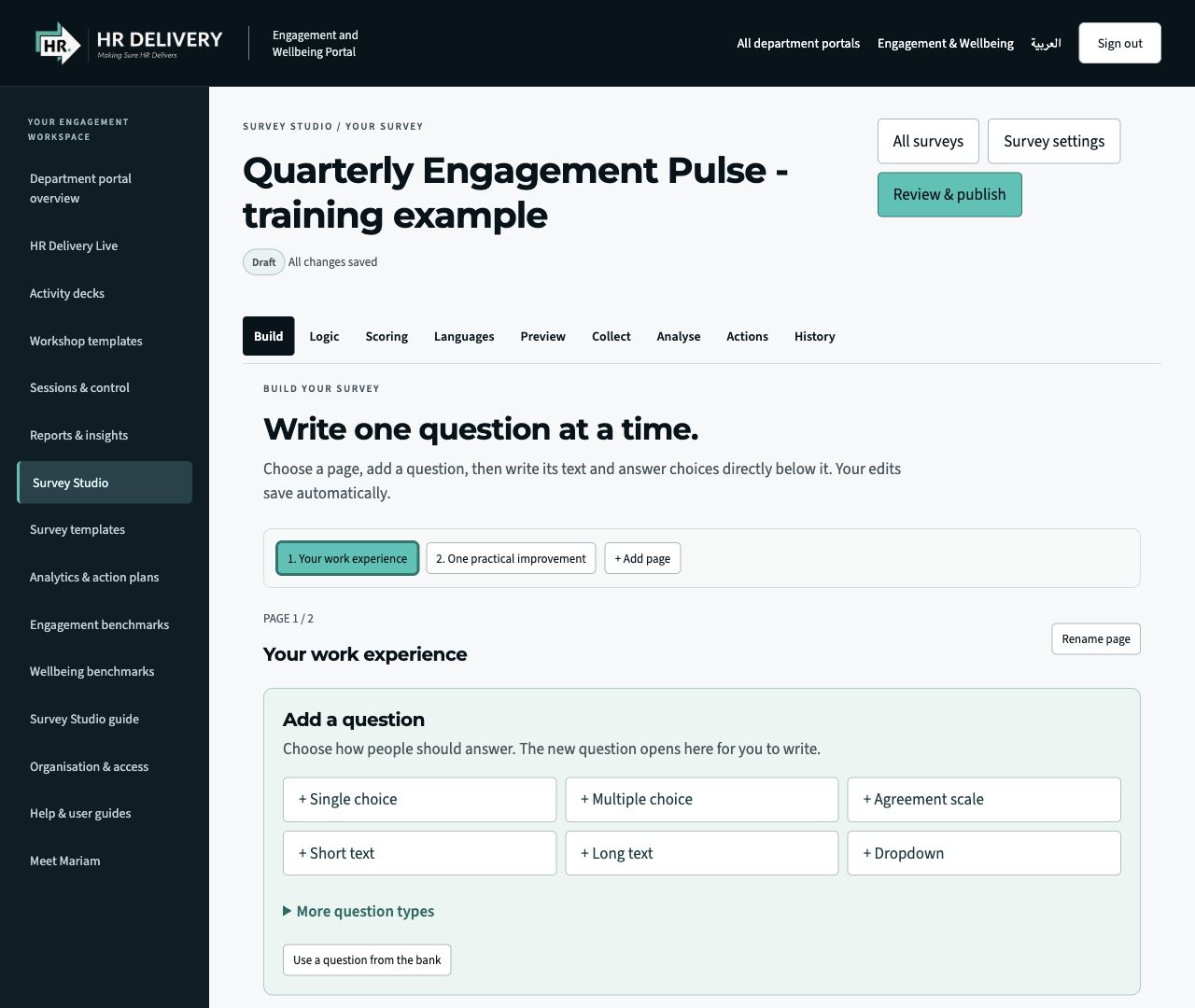
Build with clarity
Add pages and questions. Choose formats, edit the wording and preview the participant experience.
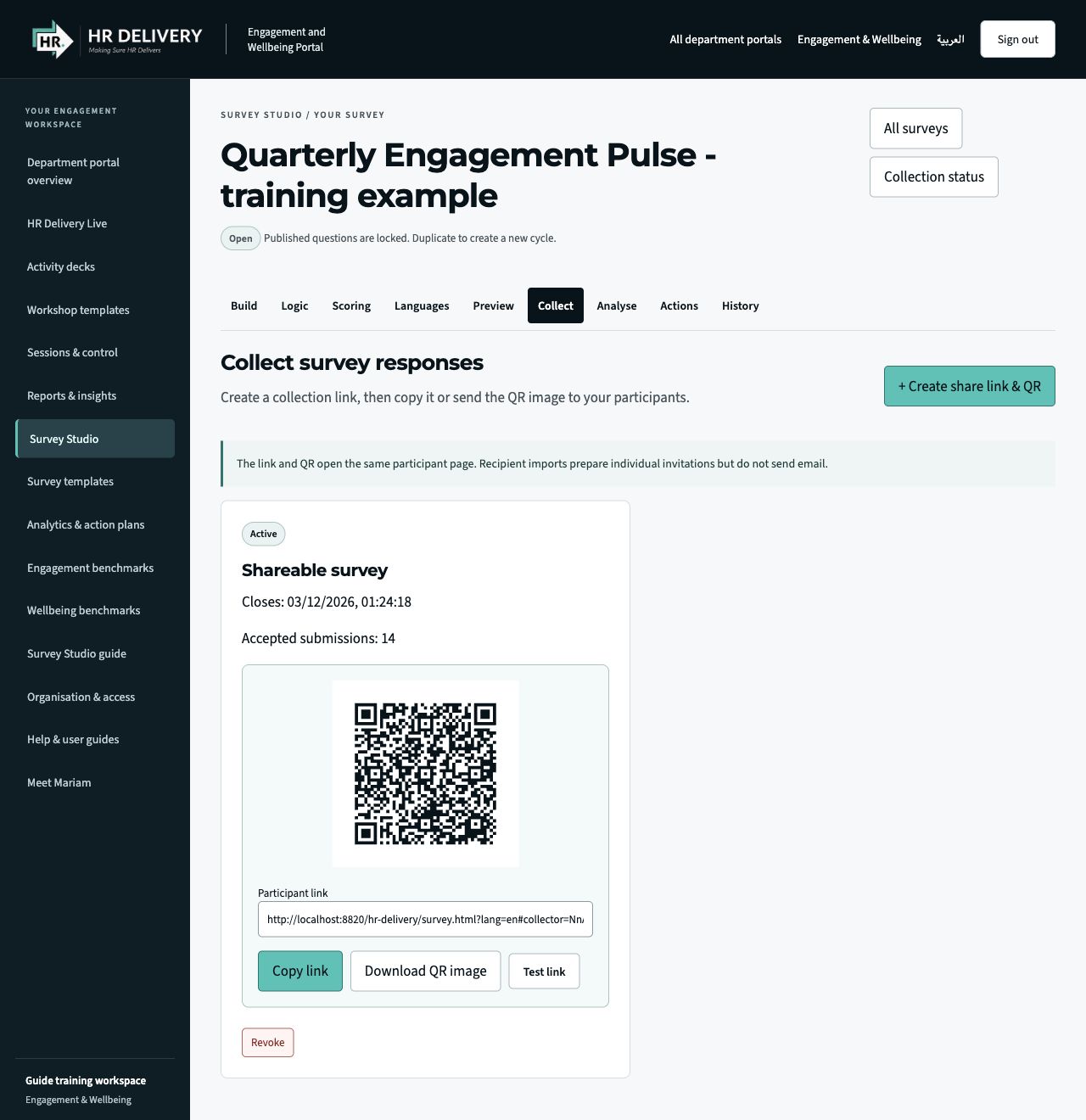
Share a link. Share a QR.
After review and publication, Collect provides a participant link and a downloadable QR image.
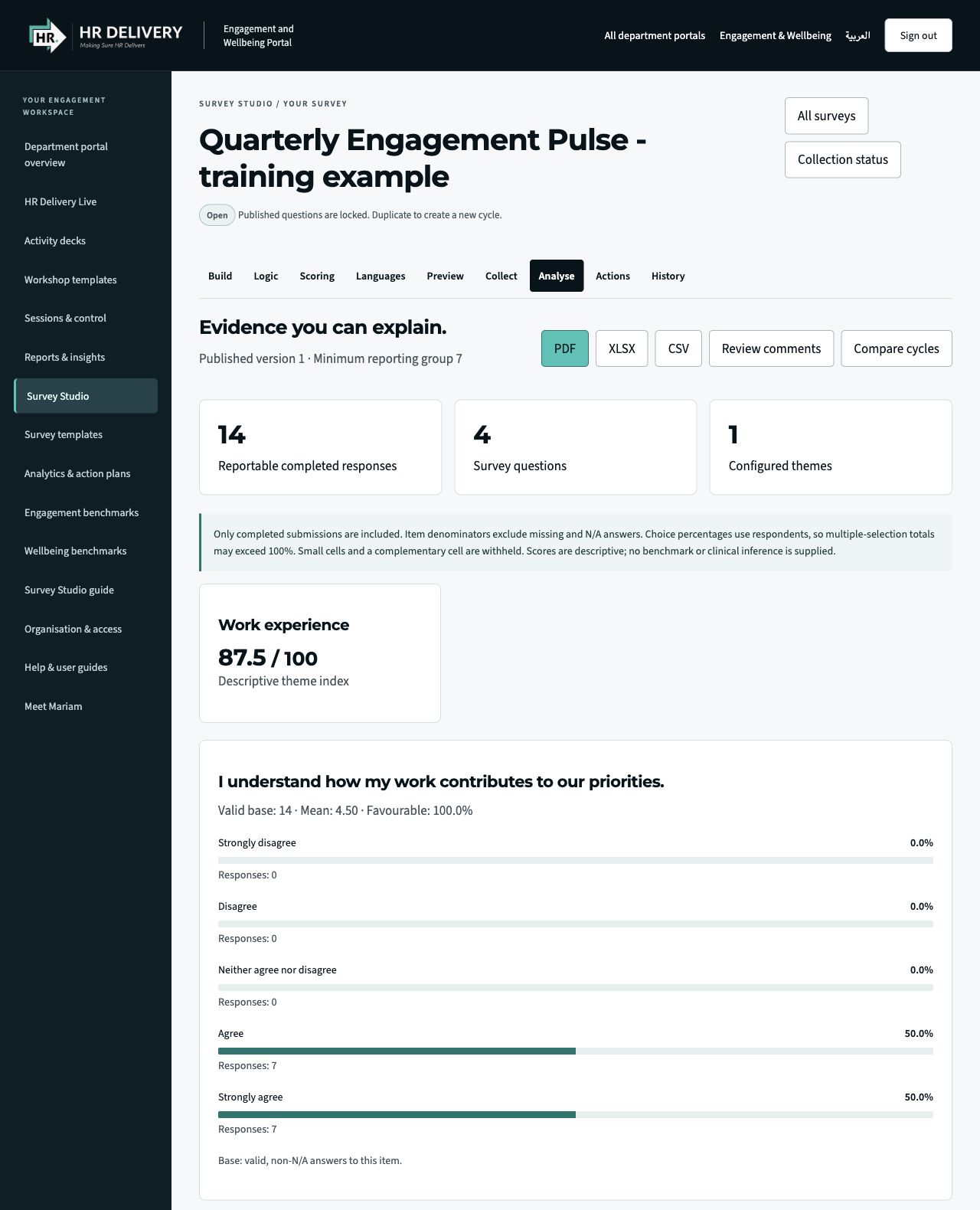
See the evidence. Plan the action.
Explore reportable patterns and descriptive scores, export aggregate reports and assign follow-up actions.
Actual Survey Studio interface in an isolated demonstration workspace. Questions, responses, figures and the pictured QR/link are illustrative, not client data or a live survey invitation. Screens show the English interface.
- 01
Define
Agree the purpose, audience and decisions the survey will inform.
- 02
Build
Create pages, choose question formats and add approved wording.
- 03
Review
Set privacy, preview the journey and approve the version to publish.
- 04
Share
Create a participant link and QR code, then collect responses.
- 05
Act
Review reportable results, agree actions and follow through.
SAMPLE REPORT / COVER PREVIEW
A place for the insight.
Ready for the full report.
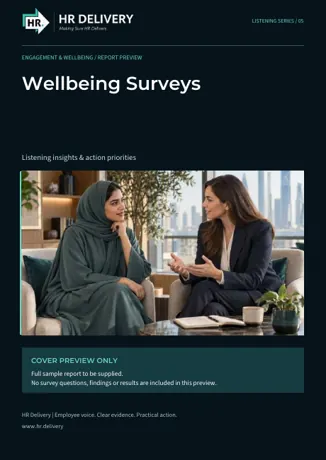
This branded front cover introduces the future sample report for this service. The download contains one cover page only. It includes no employee data, findings, scores or completed analysis.
The complete example report will be added once its content has been supplied and approved. Studio’s existing aggregate reporting functions remain separate from this preview.
Download sample reportEnglish PDF · 1 page · Cover preview only
TURN LISTENING INTO FOLLOW-THROUGH